FREE SAVE EDITING TOOL FOR ROADCRAFT

Roadcraft Save Editor

ROADCRAFT Save Editor

Full control over every aspect of your Roadcraft save files. Money, XP, 65+ trucks, 8 difficulty parameters, resources across 11 maps, fog of war, terrain, buildings — if the game stores it, you can edit it.

Windows 10+ · BETA ~19 MB · No install needed · Auto-backup keeps you safe

Edit Everything

Money, XP, company name, 8 difficulty settings, resources, 65+ trucks, 11 maps, 7 profile stats — every editable value in one place.

Always Safe

Automatic backup before every save. Full changelogs track each change. One-click restore to any previous state. Even restores create a safety copy first.

Instant & Lightweight

Single ~19 MB BETA .exe, no installation, no dependencies. Auto-detects your save folder and opens in under a second.
Every Part of Your Save, Fully Editable

Seven dedicated editors give you granular control over everything Roadcraft stores in your save files.

Auto-Detect & Slot Selection

Auto-Detect & Slot Selection

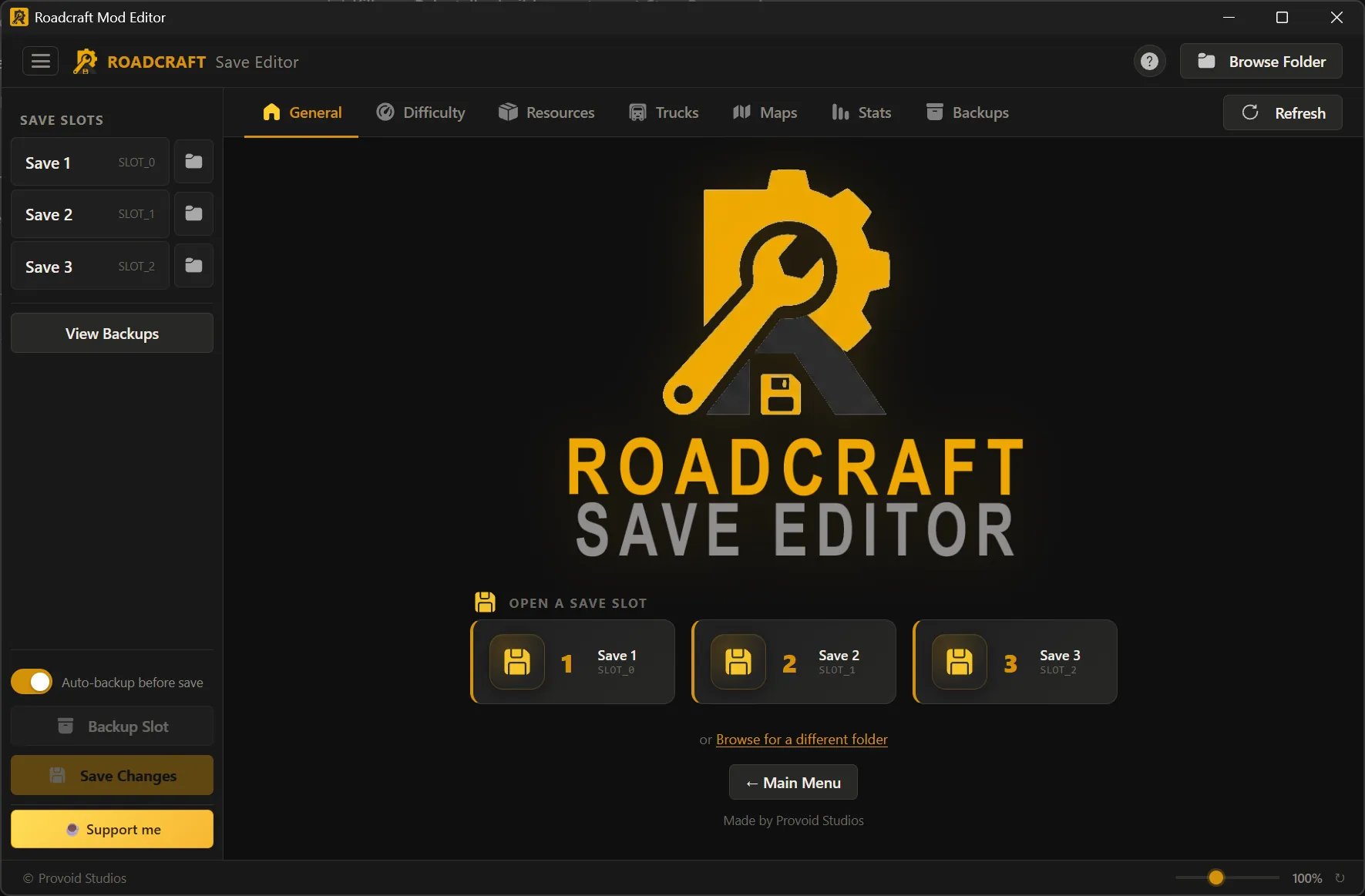
The editor automatically locates your Roadcraft save folder under Steam's local storage. All four save slots appear in the sidebar — click one to load it instantly. Need a different folder? Browse to any directory with the built-in folder dialog.

Company, Money, XP & Session Stats

Company, Money, XP & Session Stats

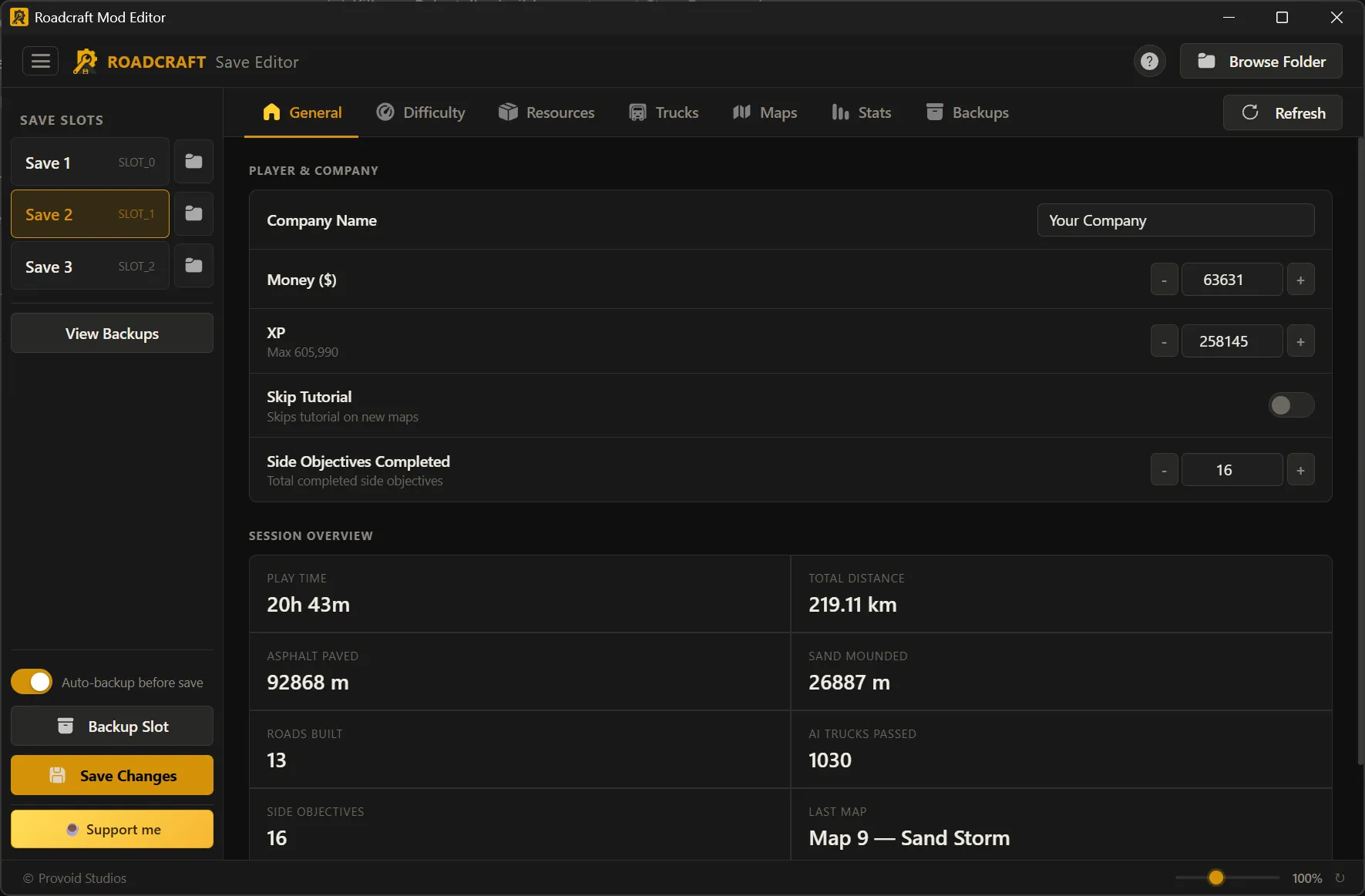
Rename your company, set your money (up to $99,999,999), adjust XP (max 605,990), toggle the tutorial skip, and edit completed side objectives. A live session overview shows play time, total distance, asphalt paved, sand mounded, roads built, AI trucks passed, and your last played map.

8 Difficulty Parameters

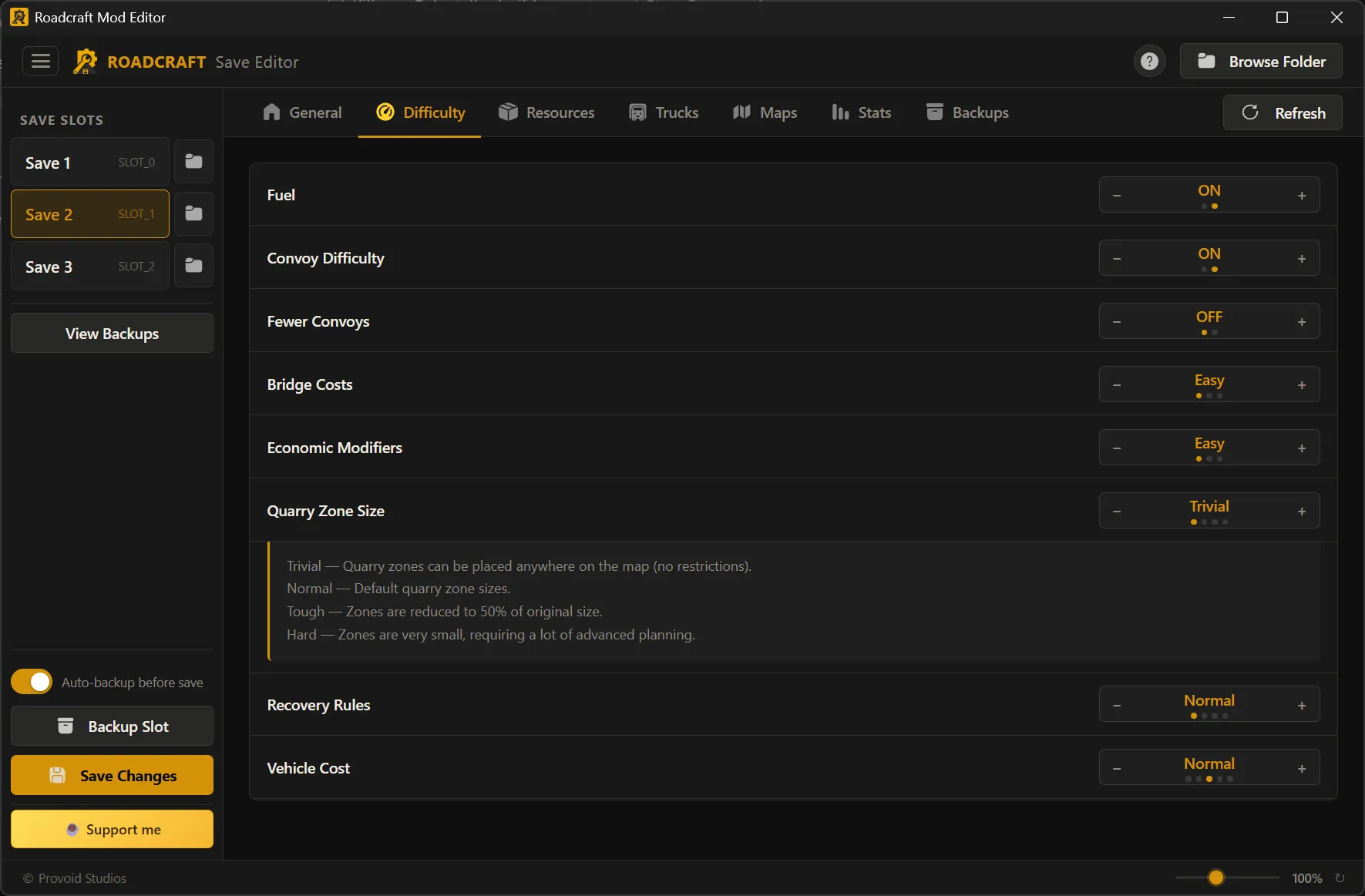
8 Difficulty Parameters, Full Control

Step through every difficulty option the game offers: fuel on/off, convoy deformation, fewer convoys, bridge costs (3 levels), economic modifiers (3 levels), quarry zone size (4 levels), recovery rules (4 levels), and vehicle cost (5 levels). Each setting shows an inline description of what it changes.

Resources Per Map or Global

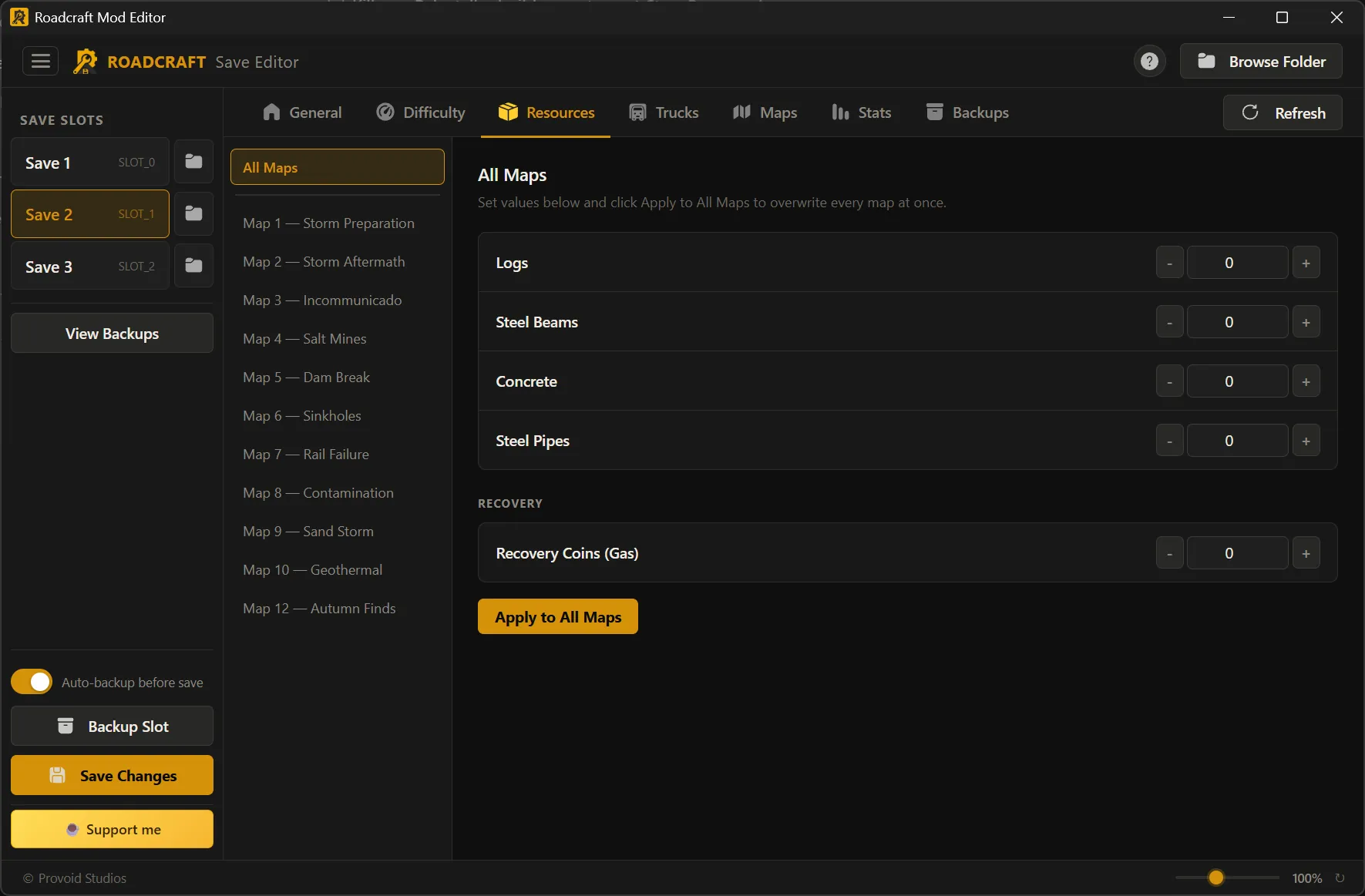
Resources — Per Map or Global

Set exact quantities of logs, steel beams, concrete, steel pipes, and recovery coins for each of the 11 maps individually. Or use "Apply to All Maps" to overwrite every map at once. Values go up to 99,999 per resource.

65+ Trucks, Full Garage Control

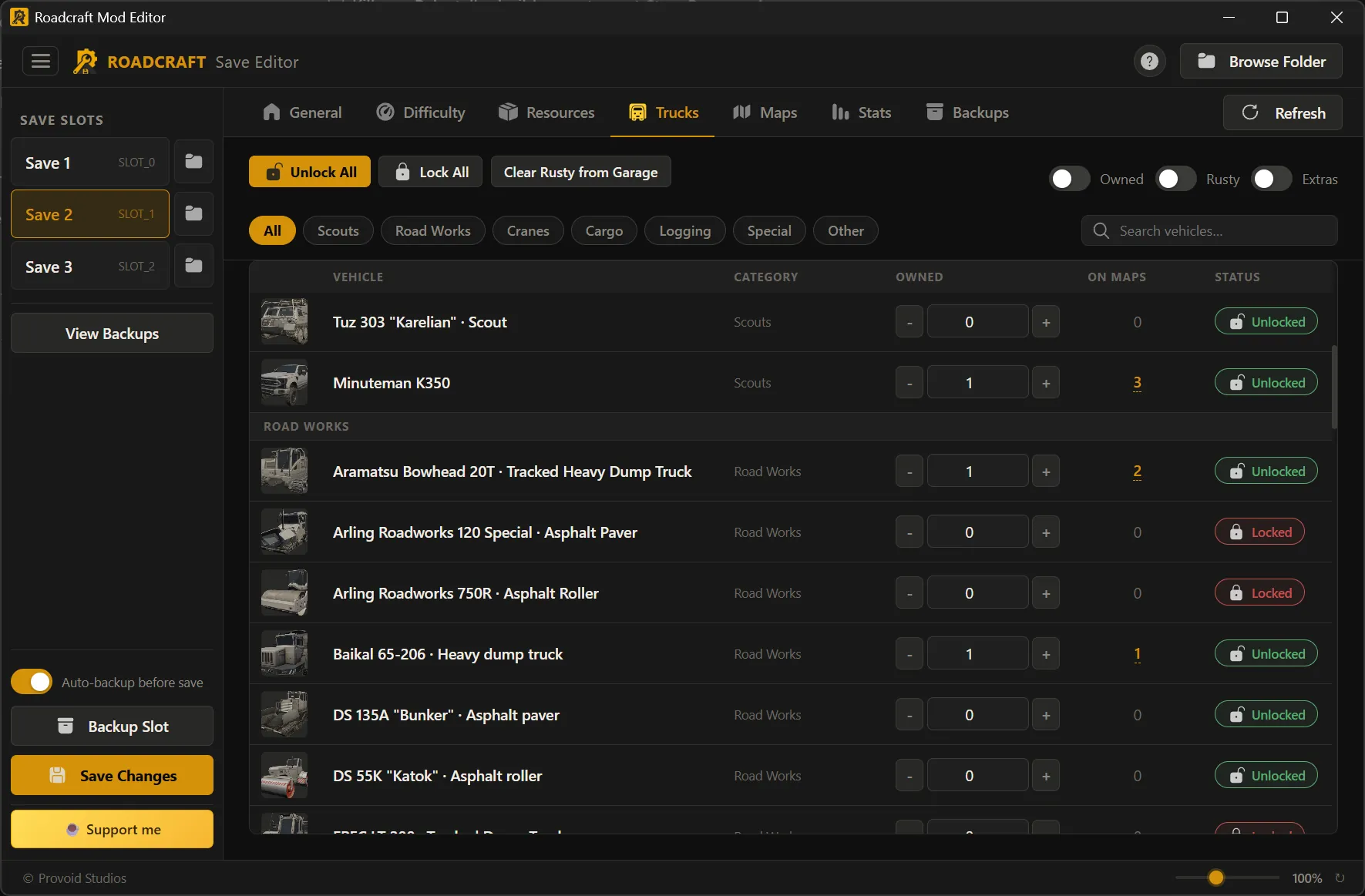
65+ Trucks — Full Garage Control

Browse the complete vehicle catalog across 7 categories: Scouts, Road Works, Cranes, Cargo, Logging, Special, and Other. Unlock or lock any truck, adjust owned counts, see which maps each truck is deployed on. Bulk actions: Unlock All, Lock All, Clear Rusty from Garage. Filter by category, toggle Owned/Rusty/Extras views, or search by name.

11 Maps — Unlock, Complete, Modify

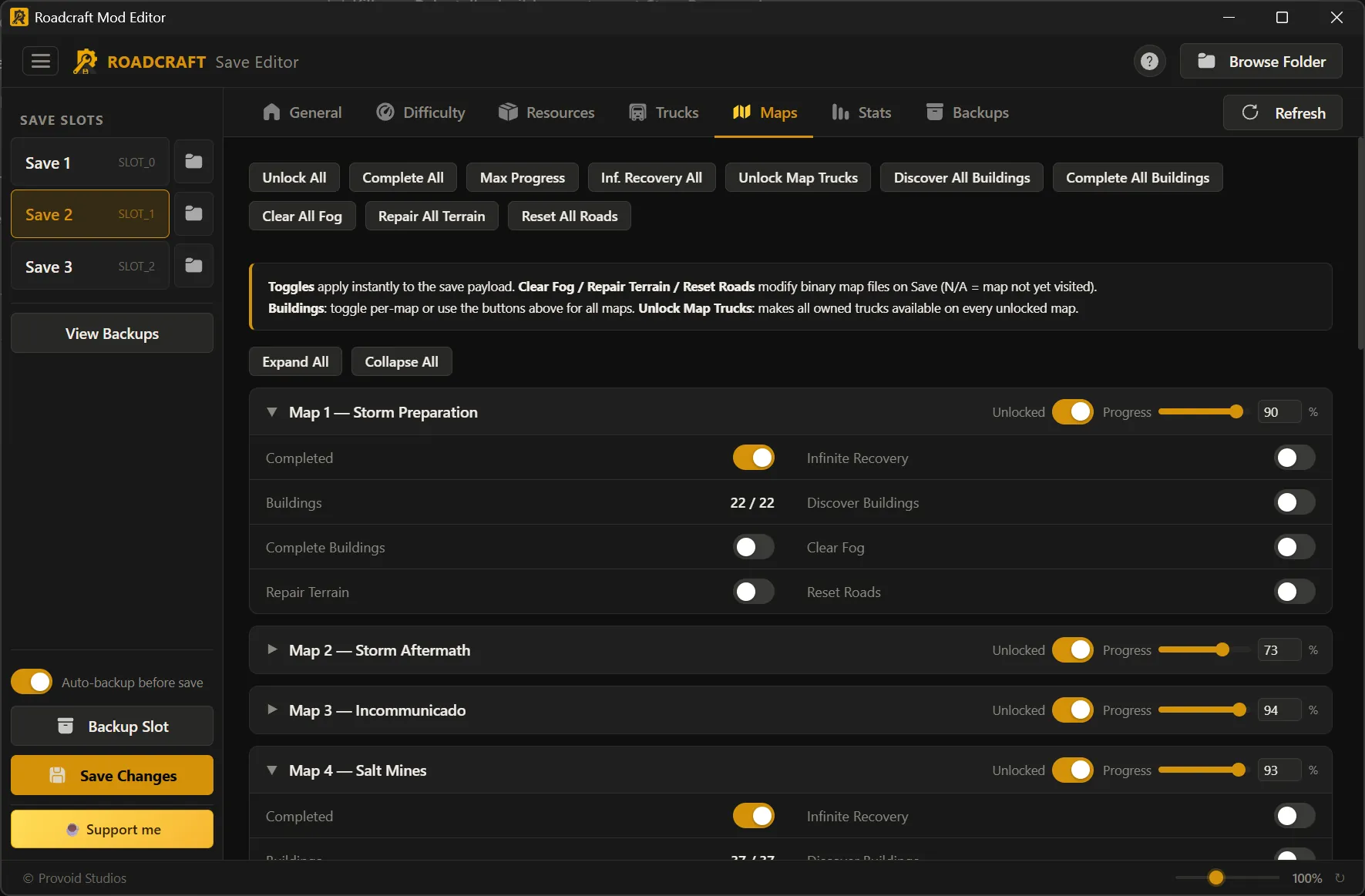
11 Maps — Unlock, Complete, Modify

Per-map controls: unlock/lock, set progress 0–100%, mark as completed, enable infinite recovery, discover or complete buildings. Advanced operations: clear fog of war, repair terrain deformation, and reset road extrusions — all directly modifying the binary map files. Bulk toolbar: Unlock All, Complete All, Max Progress, Inf. Recovery All, Unlock Map Trucks, Discover/Complete All Buildings, Clear All Fog, Repair All Terrain, Reset All Roads.

Profile Statistics

Profile Statistics

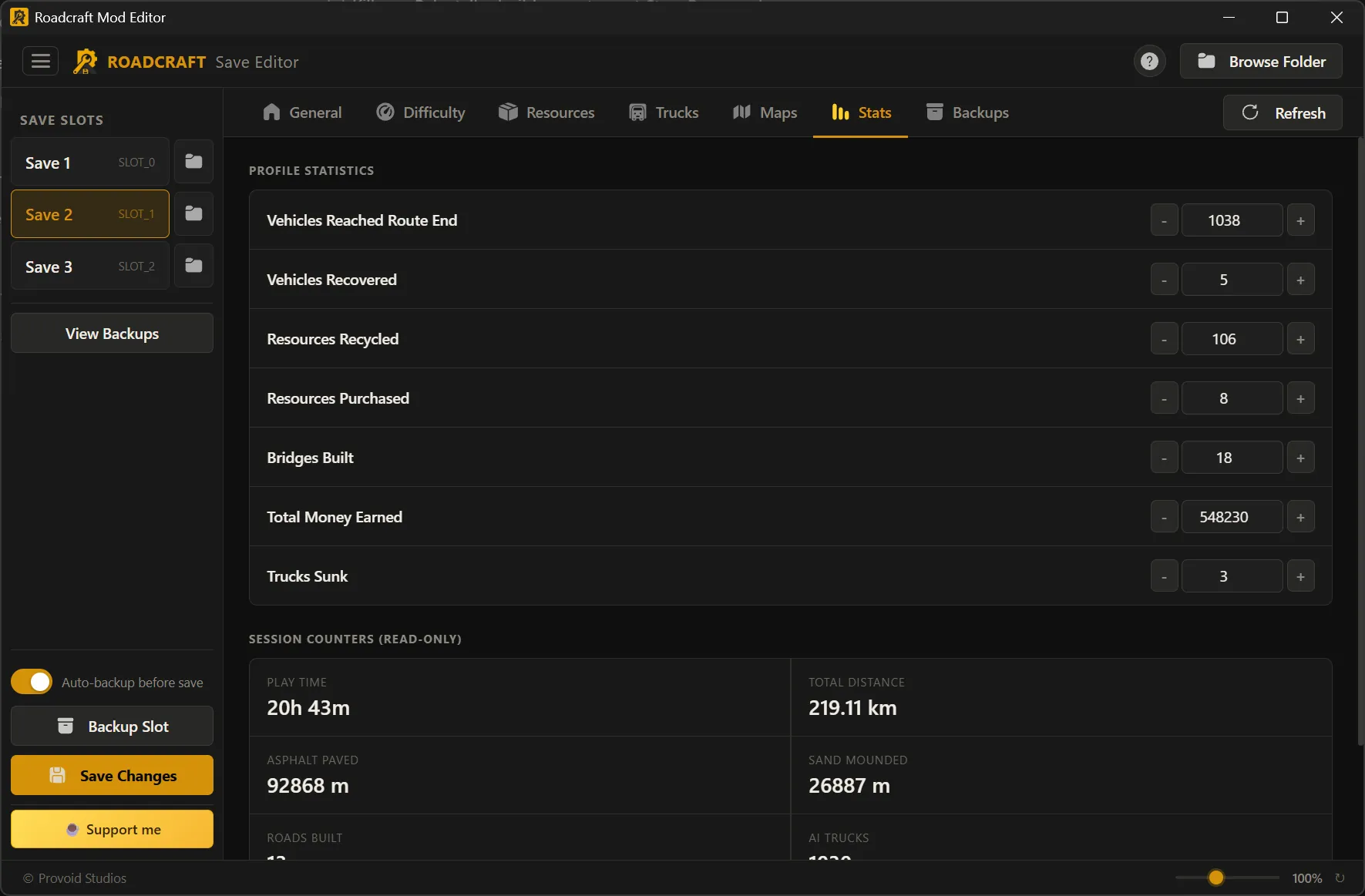
Edit 7 lifetime profile counters: vehicles reached route end, vehicles recovered, resources recycled, resources purchased, bridges built, total money earned, and trucks sunk. Session counters (play time, distance, asphalt, etc.) are displayed read-only for reference.

Your Saves Are Always Safe

A fully integrated backup system with automatic changelogs and one-click restore — so you never have to worry about breaking anything.

Automatic Backup Before Every Save

Enabled by default. Before your edited save is written to disk, the editor copies your entire slot folder to a timestamped backup. You always have the exact state from before your changes.

Detailed Changelogs

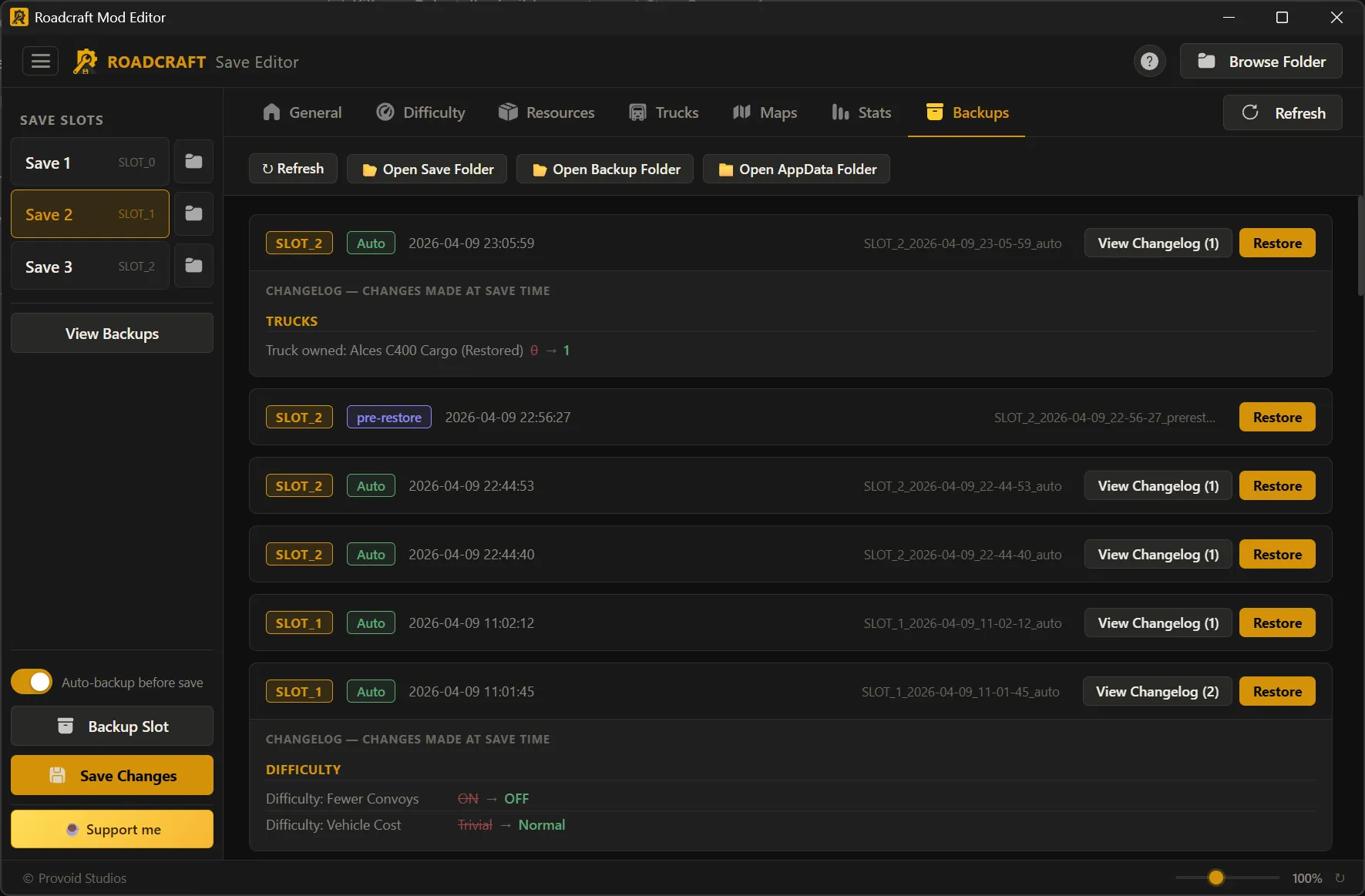
Every auto-backup includes a changelog that records exactly what you changed: money $28,480 → $50,000, XP 219,545 → 300,000, truck unlocked, fog cleared, difficulty toggled — field by field, with before and after values.

One-Click Restore

Browse all backups sorted by date. View the changelog to see what was different. Click "Restore" to roll back instantly. The editor even creates a pre-restore safety copy of your current save before overwriting — so the restore itself is reversible.

Manual Backups Anytime

Beyond the automatic system, you can manually back up any slot at any time with one click. Open the backup folder directly in Explorer to manage files yourself.

Backup System with Changelogs and Restore

Up and Running in 30 Seconds

1

Download

Grab Roadcraft Editor Suite BETA.exe — ~19 MB, no installer, no runtime dependencies. Just a file.

2

Launch & Load

Double-click to open. The editor finds your Roadcraft save folder automatically. Pick a slot from the sidebar.

3

Edit Freely

Switch between 7 tabs — General, Difficulty, Resources, Trucks, Maps, Stats, Backups. Change whatever you want.

4

Save & Play

Click "Save Changes." A backup is created automatically. Both save files are updated. Open Roadcraft and see your edits.

Take Full Control of Your Roadcraft Saves

Free, lightweight, and safe. Automatic backups mean you can experiment without risk.

Download BETA for Windows